
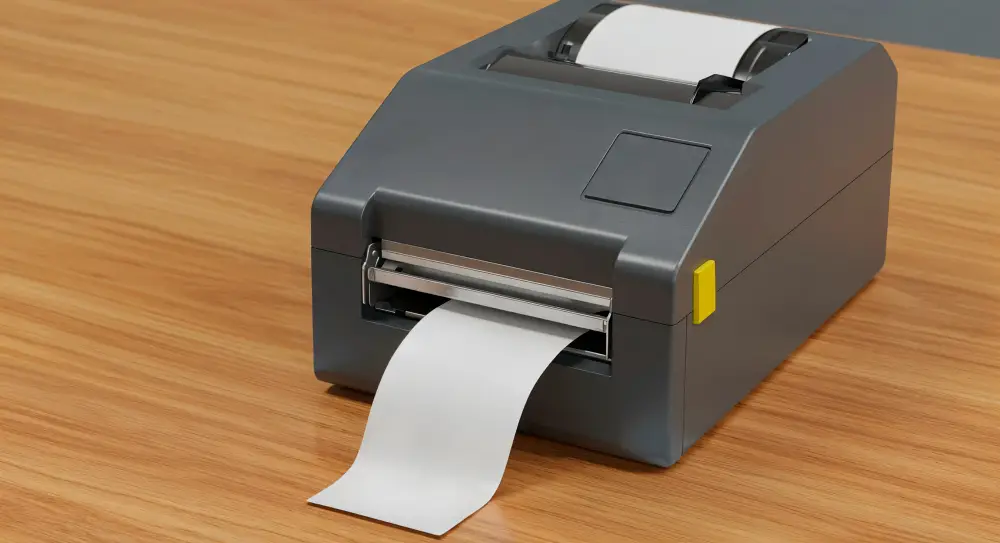
How Should You Maintain a Citizen Barcode Label Printer for Longer Performance?
Ever noticed how a printer that once produced razor-sharp barcodes suddenly starts spitting out smudged, unreadable labels? That decline rarely happens overnight; it builds up quietly through dust, worn parts, and skipped cleaning routines. Any reliable Citizen barcode label printer supplier in Dubai will tell you the same thing: maintenance isn’t optional; it’s what determines whether your machine lasts three years or eight. Keep reading, because the habits below could save you from an unexpected replacement bill.
What Does “Maintaining a Citizen Barcode Label Printer” Actually Mean?
Maintenance isn’t a single task; it’s a routine built from small, consistent actions. It covers everything from wiping down internal components to checking calibration settings, all aimed at keeping print quality sharp and mechanical parts running without unnecessary strain.
Why Neglect Costs More Than You Think
Skipping maintenance doesn’t just risk blurry labels. It shortens the printhead’s lifespan, increases the odds of jamming during high-volume runs, and often leads to costly repairs that a five-minute cleaning session could have prevented entirely.
Daily Habits That Keep the Printer Running Smoothly
Small daily actions add up to significant longevity gains. These aren’t time-consuming tasks; they’re quick checks that protect your investment before problems have a chance to develop.
- Wipe Down the Exterior: Dust and debris settling on the casing can eventually work their way into internal components. A quick wipe with a dry cloth at the end of each day keeps buildup from becoming a bigger issue.
- Check for Loose Labels or Ribbon Scraps: Leftover fragments inside the feed path can jam future prints. A brief visual check before shutting down catches these small nuisances before they escalate into stuck rollers.
- Power Down Properly: Abruptly cutting power instead of shutting the printer down correctly can stress internal circuits over time, gradually shortening the lifespan of components that otherwise would have lasted years longer.
Weekly and Monthly Maintenance Worth Scheduling
Beyond daily habits, certain tasks need dedicated attention on a rhythm rather than an afterthought basis. Treating these as scheduled appointments rather than optional extras keeps performance consistent.
Cleaning the Printhead
The printhead is the most sensitive component in the entire machine. Gently wiping it with isopropyl alcohol and a lint-free swab every few ribbon rolls prevents residue buildup that gradually degrades print sharpness and clarity.
Clearing the Platen Roller
This roller pulls labels through the printer, and adhesive residue collects on it faster than most people expect. Rotating and wiping it clean during each printhead session prevents misalignment and uneven, streaky prints.
Inspecting Sensors for Buildup
Dust settling on internal sensors can trigger feed errors or miscalibration. A soft brush or compressed air, used gently and without pushing debris deeper inside, keeps these small but critical components functioning accurately.
Choosing the Right Ribbons and Labels Matters Too
Hardware maintenance only solves half the equation. The consumables you feed into the printer play an equally significant role in preventing premature wear on internal parts.
Matching ribbon type to label material avoids unnecessary friction inside the printer. For businesses exploring customized ribbon printing in Dubai, working with quality-tested combinations reduces smudging risks while extending the working life of your printhead considerably.
Environmental Factors That Quietly Affect Performance
Temperature and humidity influence printer health more than most people realize. Extreme heat can soften internal components over time, while excess humidity introduces moisture that interferes with consistent, clean printing.
Keeping your printer in a stable, moderately cool environment, away from direct sunlight or damp storage areas, significantly reduces the chances of long-term wear affecting your printing accuracy.
Final Thoughts
Keeping a barcode printer running smoothly isn’t complicated; it just requires consistency rather than guesswork. Simple habits like printhead cleaning, sensor checks, and proper consumable pairing go a long way toward extending its working life. When you’re ready to upgrade or need trusted parts, a dependable Citizen barcode label printer supplier in Dubai makes the whole process considerably easier.
Frequently Asked Questions
How often should the printhead actually be cleaned?
Roughly every three to five ribbon rolls for regular use, though high-volume operations may need cleaning more frequently to prevent residue buildup from affecting overall print sharpness.
Can using the wrong ribbon really damage the printer?
Yes, mismatched ribbons create excess friction and heat, which wears down the printhead faster and often results in inconsistent, streaky prints over repeated use.
Is it normal for labels to jam occasionally?
Occasional jams happen, but frequent jamming usually signals a dirty sensor, worn roller, or improperly loaded media that needs prompt attention before it worsens.
Does firmware updating actually matter for barcode printers?
Absolutely, updates often fix bugs, improve compatibility with newer label formats, and occasionally boost printing speed, making it a simple but easily overlooked maintenance step.
What’s a warning sign that maintenance has been neglected too long?
Faded, uneven, or streaky prints despite fresh ribbons usually indicate accumulated residue or a worn printhead that needs immediate cleaning or replacement.
“`html
“`
Latest Posts
October 7, 2026
Have you ever...
October 7, 2026
Ever had a...

September 23, 2026
A thermal ribbon...

September 23, 2026
One misplaced label,...

September 7, 2026
A glass bottle...