
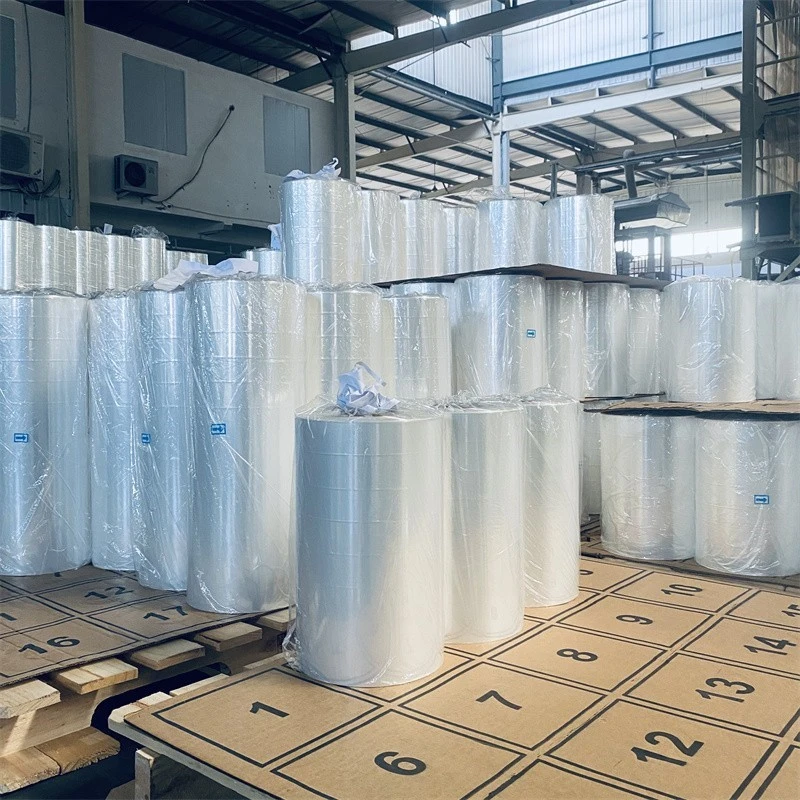
Have you ever received a pallet where the boxes had shifted, the products were exposed to dust, or the entire load looked unstable? In many cases, the problem is not the products themselves but the way they were packaged.
For warehouses, manufacturers, retailers, logistics companies, and distributors, stretch film plays an important role in keeping products secure during storage and transportation. Choosing reliable Stretch Film Suppliers Dubai can help businesses select the right film for their packaging requirements while reducing product damage and packaging waste.
But what exactly should you look for when choosing stretch film, and how can the right supplier make a difference?
What Is Stretch Film?
Stretch film is a flexible plastic packaging material used to wrap products, cartons, boxes, and pallets. It stretches around the load and creates a secure layer that helps keep items together.
It is commonly used for:
- Pallet wrapping
- Warehouse packaging
- Product bundling
- Transportation protection
- Load stabilisation
- Dust and moisture protection
- Industrial packaging
Because stretch film is available in different thicknesses, sizes, and specifications, selecting the right product is important for achieving reliable packaging performance.
Why Is Stretch Film Important for Businesses?
Imagine a pallet loaded with multiple cartons being moved from a warehouse to a delivery vehicle. Without proper wrapping, the cartons can shift during handling or transportation.
Stretch film helps hold the load together and provides an additional layer of protection.
1. Keeps Products Secure
One of the primary purposes of stretch film is load stabilisation. When applied correctly, the film holds cartons and other items together, helping reduce movement during transportation.
This can be particularly useful for businesses handling large quantities of products every day.
2. Helps Protect Against Dust and Moisture
Warehouse and transportation environments can expose products to dust, dirt, and moisture.
Stretch film provides an additional protective barrier around packaged goods. While the level of protection depends on the film type and application, it can help keep products cleaner and better protected during handling and storage.
3. Reduces Product Movement
Products that move around inside a pallet can become damaged, especially when boxes are stacked on top of each other.
Proper stretch wrapping helps reduce unwanted movement and keeps the load more stable.
4. Supports Efficient Warehouse Operations
A consistent packaging process can make warehouse operations easier. When employees use suitable stretch film and the correct wrapping method, pallets can be prepared more efficiently for storage or transportation.
What Should You Consider When Choosing Stretch Film?
Not every stretch film is suitable for every application. Before selecting a product, businesses should consider several factors.
Film Thickness
Film thickness affects durability and performance. Heavier or more demanding loads may require a stronger film, while lighter applications may work with thinner options.
Choosing the right thickness can help avoid unnecessary material usage while still providing sufficient load protection.
Stretchability
The ability of film to stretch is another important consideration. A suitable level of stretch can help the film wrap securely around the load without unnecessary waste.
The required stretch can depend on the packaging method, load size, and type of stretch film being used.
Load Type
Different products require different packaging approaches.
For example, a pallet containing lightweight cartons may have different requirements from one carrying heavy industrial components. Understanding the load before choosing the film can help businesses select a more appropriate solution.
Application Method
Stretch film can be applied manually or with wrapping equipment.
For smaller operations, hand-applied stretch film may be practical. Businesses with high packaging volumes may benefit from machine stretch film designed for automated or semi-automated wrapping.
Hand Stretch Film vs Machine Stretch Film
One common question businesses have is whether they should use hand stretch film or machine stretch film.
Hand Stretch Film
Hand stretch film is designed to be applied manually. It can be suitable for businesses with lower packaging volumes or operations where flexibility is important.
Benefits can include:
- Easy manual application
- Flexible for different load sizes
- Suitable for smaller packaging operations
- No wrapping machine required
Machine Stretch Film
Machine stretch film is designed for use with pallet wrapping machines. It can be a suitable option for businesses handling a high volume of pallets.
Potential advantages include:
- Consistent wrapping
- Faster pallet preparation
- Reduced manual effort
- Better control over film usage
- Suitable for high-volume operations
The right choice depends on your packaging volume, equipment, load type, and operational requirements.
Why Choosing the Right Stretch Film Supplier in Dubai Matters
A supplier does more than simply provide rolls of film. The right supplier should understand the packaging requirements of different industries and help businesses identify suitable products.
Working with reliable Stretch Film Suppliers Dubai can help businesses evaluate:
- Film thickness
- Roll dimensions
- Stretch capacity
- Load requirements
- Application method
- Manual or machine wrapping
- Packaging volume
- Storage and transportation conditions
This can make it easier to avoid buying a product that does not perform well for the intended application.
How Can the Right Stretch Film Reduce Packaging Waste?
Using too much film does not necessarily mean better protection.
If a business uses a film that is thicker than necessary or applies more layers than required, material consumption can increase. On the other hand, using a film that is too weak can result in damaged loads and repeated wrapping.
The goal is to find the right balance between strength, stretchability, load stability, and material usage.
A suitable stretch film can help businesses create a more consistent packaging process while avoiding unnecessary material consumption.
Where Is Stretch Film Commonly Used in Dubai?
Stretch film is used across many industries and business environments, including:
- Warehouses
- Logistics companies
- E-commerce businesses
- Manufacturing facilities
- Retail operations
- Food and beverage distribution
- Import and export companies
- Moving and storage services
- Industrial packaging operations
Dubai’s active logistics and commercial environment makes reliable packaging materials particularly important for businesses that regularly move products.
What Makes a Good Stretch Film Supplier?
Before choosing a supplier, businesses should look beyond price alone.
A dependable supplier should ideally offer:
Consistent Product Quality
The film should maintain consistent thickness, strength, and stretching performance across rolls.
Different Product Options
Businesses have different packaging requirements, so having access to different sizes, thicknesses, and application types can be useful.
Reliable Supply
For businesses with high packaging volumes, consistent product availability is important. Packaging material shortages can disrupt warehouse and shipping operations.
Professional Support
A knowledgeable supplier can help businesses identify suitable film based on their packaging process, load type, and equipment.
How Can Businesses Get Better Value from Stretch Film?
Getting better value does not always mean choosing the lowest-priced roll.
Instead, consider the overall packaging performance.
Ask yourself:
- How much film is being used per pallet?
- Is the load staying stable during transportation?
- Are employees using the film efficiently?
- Is the film suitable for the weight of the load?
- Are there frequent tears during application?
- Could machine wrapping improve efficiency?
Answering these questions can help identify opportunities to improve packaging performance and reduce unnecessary costs.
The Bottom Line!
Stretch film may be a simple packaging material, but it plays an important role in protecting products and stabilising loads during storage and transportation.
For businesses in Dubai, choosing the right Stretch Film Suppliers Dubai can make it easier to find suitable film based on load type, application method, packaging volume, and protection requirements.
The best approach is to focus on the complete packaging process rather than simply choosing the cheapest product. The right combination of film quality, thickness, stretchability, application method, and supplier support can help businesses package products more securely and efficiently.
FAQs
What is stretch film used for?
Stretch film is primarily used to wrap and stabilise products, cartons, and pallets. It helps keep loads together and can provide additional protection against dust, dirt, and handling during storage and transportation.
What is the difference between hand stretch film and machine stretch film?
Hand stretch film is designed for manual application, while machine stretch film is designed for pallet wrapping machines. The appropriate option depends on packaging volume, available equipment, and operational requirements.
How do I choose the right stretch film?
Consider factors such as load weight, pallet size, film thickness, stretchability, application method, and transportation conditions. A professional supplier can also help determine a suitable specification.
Can stretch film protect products from moisture?
Stretch film can provide an additional barrier against moisture, dust, and dirt, depending on the film type and how it is applied. It should not be considered a replacement for specialised waterproof packaging when complete moisture protection is required.
Is stretch film suitable for warehouse packaging?
Yes. Stretch film is widely used for warehouse packaging because it can help stabilise palletised products and protect loads during storage and movement.
How can businesses reduce stretch film usage?
Businesses can reduce unnecessary film consumption by selecting the appropriate film thickness, using the correct wrapping technique, controlling the number of layers, and considering machine wrapping for high-volume operations.